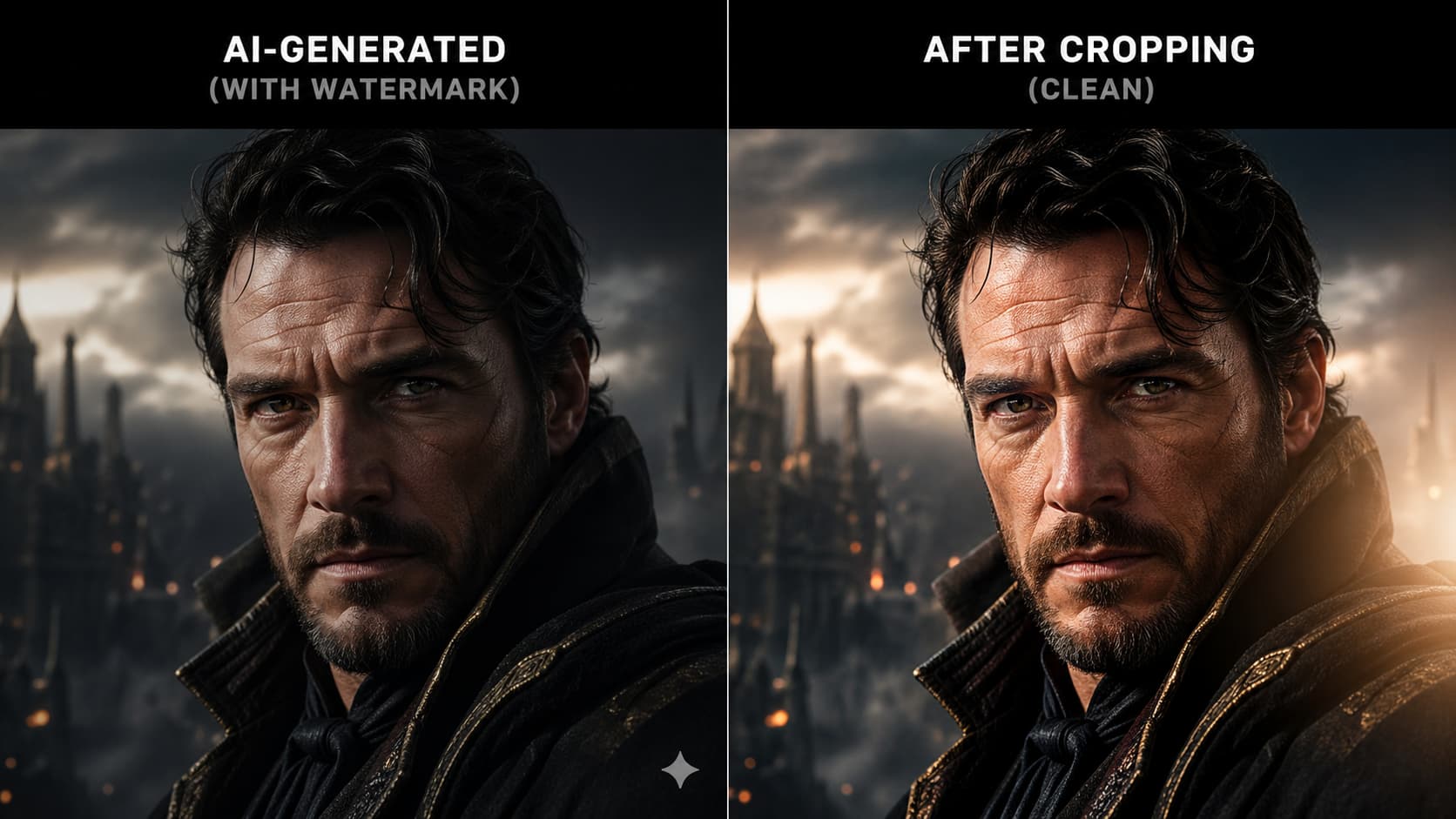
Gemini Makes Great Images. The Watermark, Not So Much.
If you use Google Gemini to generate images, you already know how impressive the results can be. Photorealistic portraits, detailed illustrations, cinematic landscapes — the quality keeps getting better with every update. Gemini is one of the most capable AI image tools available right now, and it's free to use.
But there's a catch. Every image Gemini generates comes with a small 4-pointed star watermark in the bottom-right corner — sometimes called the "Nano Banana" logo. It's subtle, but the moment you post that image somewhere, anyone who knows what to look for will immediately recognize it as AI-generated.
For a lot of people, that's a problem. If you're a content creator, a designer building mockups, or someone who just wants a clean image to share — having a visible AI logo in the corner is frustrating. It signals something you may not want to signal.
Why Most Watermark Removers Don't Work (or Cost Money)
The first thing people usually do is search for a Gemini watermark remover. And they find plenty of options — but almost all of them have a serious catch.
Most tools that can actually handle the Gemini logo fall into one of these categories:
- Paid tools that require a subscription or credits to process your image
- "Free" tools that limit you to one image per day unless you sign up
- Account-required platforms where you hand over your email just to download a single image
- Upload-to-server tools where your private image gets sent to a third party
It's a frustrating pattern. You generated a free image, and now you're being asked to pay — or surrender your data — just to clean it up.
The Smart Crop Method: Simple, Clean, Free
The cleanest way to remove the Gemini watermark is also the simplest: crop the strip at the bottom of the image where the logo sits. The Nano Banana star is always in the bottom-right corner, and it only takes a very thin horizontal strip to remove it entirely — typically 40 to 80 pixels depending on your image resolution.
The result is a clean image with no artifacts, no blurry patches, and no sign that anything was ever there. No AI needed, no complicated editing — just a precise cut.
Remove Your Gemini Watermark Now
Free, no signup, no upload to any server. Works on any device.
Open Gemini Watermark Cleaner →How to Remove the Gemini Watermark on Wilnexo — Step by Step
The Wilnexo Gemini Watermark Cleaner does exactly this. Here's how it works:
- Go to the Gemini Watermark Cleaner — no account, no signup, nothing to install.
- Drag and drop your Gemini image onto the upload zone, or click to browse. The tool reads your image at full native resolution — no compression, no quality loss.
- A red dashed line appears automatically at the bottom of the image preview, showing exactly where the cut will happen. The crop height is set automatically based on your image size (56px for HD, 72px for FHD, 128px for 4K).
- If needed, drag the slider to adjust the strip height. The preview updates live so you can see the exact cut before applying it.
- Click Apply Smart Crop. The watermark is gone. The right panel shows your clean image immediately.
- Click Download PNG. You get a full-resolution PNG file, exported at 100% quality — no compression, same resolution minus the bottom strip.
The whole process takes under 30 seconds. Your image never leaves your browser — everything runs locally using HTML5 Canvas. No server, no account, no data shared anywhere.
Wilnexo Is Free — And Stays Free
There are no credits, no daily limits, no upgrade prompts. You can remove the Gemini watermark from as many images as you want, as many times as you want. That's the whole point of Wilnexo: free tools that actually stay free.
Most platforms in this space start free and then slowly lock features behind a paywall. We're not doing that. The Gemini Watermark Cleaner will always be free — same as every other tool on this site.
If you regularly work with Gemini images, bookmark the tool. It's faster than any other method and requires zero setup.